
Every ad campaign, analysed every night

At Kleinanzeigen I was the product manager for retail media, where advertisers run campaigns that place sponsored listings in the marketplace’s search results. Over two hundred campaigns were active, and one team looked after all of them. A proper review took about an hour per campaign, so fewer than five percent got one in any given week. The rest got a quick skim or nothing at all.
The reviews that did happen were driven by symptoms: something had to go visibly wrong before a campaign got attention. Advertisers got inconsistent advice, depending on who looked and when. Patterns that ran across campaigns stayed invisible, because nobody was looking across campaigns. Instead of asking for more headcount, I built a pipeline that analyses every campaign each night, whether anyone asks it to or not.
Numbers first, words last
The pipeline has three layers and no manual steps. Each night it fetches live campaign data from the data warehouse: performance, configuration and the audit log. Python then computes the metrics that matter, such as CTR by search term, budget pacing, ad group performance and the split between platforms. An evaluation layer flags problems by fixed rules, from budget wasted on low-relevance search terms to inefficient pacing, weak ad groups and platforms out of balance.
Only after those rules have run does Amazon Bedrock come in. Claude takes the structured findings and turns them into written recommendations, grounded in the numbers and in the language of our market. The numbers are computed deterministically first, so Claude handles interpretation, not calculation. The result lands on an interactive dashboard with one view per campaign: trend charts, hourly pacing curves, the history of config changes and the full written analysis.
The pipeline runs fully headless, with no browser involved, and a 15-test end-to-end suite gates every deploy. These are the tools per layer:
| Layer | Tools |
|---|---|
| Data | data warehouse SQL · Python · pandas |
| Analysis | metric computation scripts · deterministic aggregation |
| Intelligence | Amazon Bedrock (Claude) |
| Delivery | vanilla HTML/JS · GitHub Pages |
| Reliability | Playwright E2E tests · automated QA gate |
The keyword nobody sorted
One campaign was burning impressions on a broad-match keyword. The keyword shared vocabulary with the product but none of the intent: a generic category term that pulled volume and almost no clicks. A person would only have caught it by pulling the search term report and sorting by impression share, and nobody had. The pipeline flags it as waste on its own and writes a specific recommendation: add the term as a negative keyword, or switch to a positive keyword list where the platform supports it.
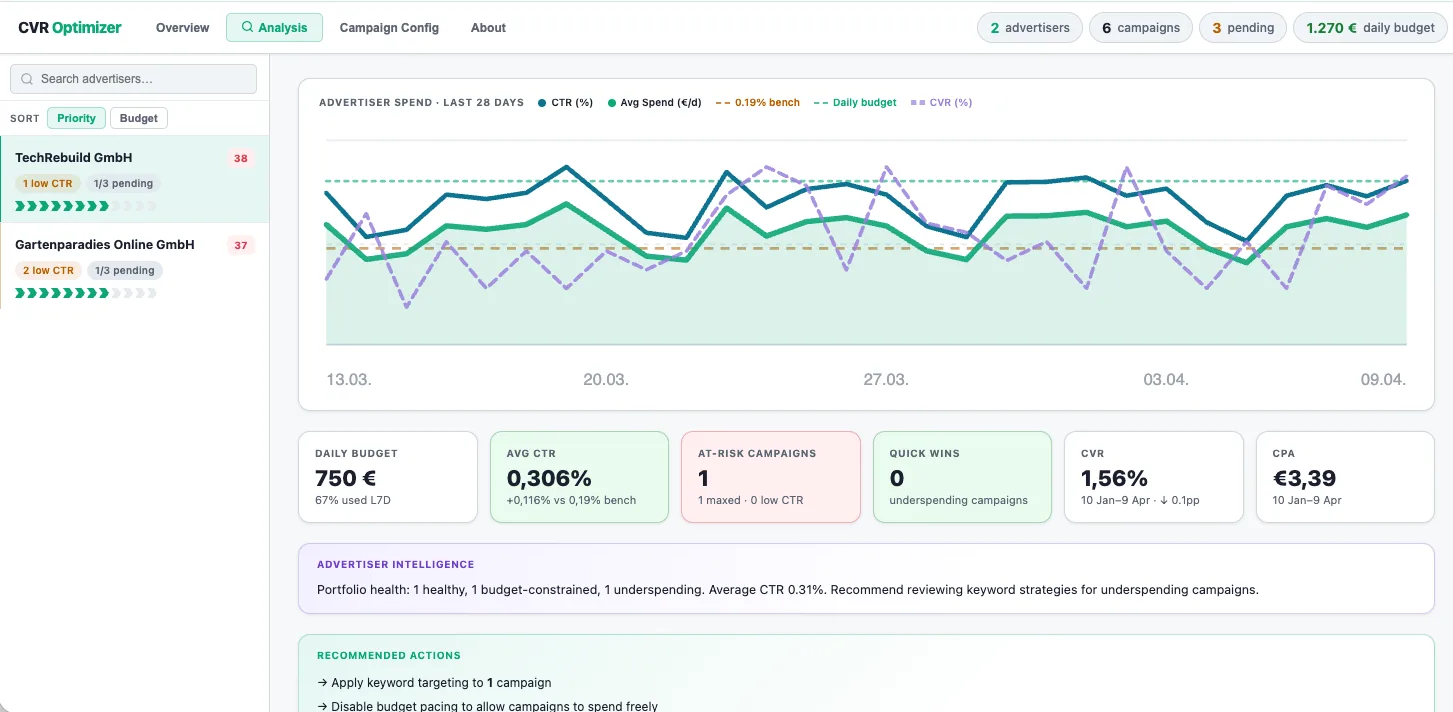
Each finding comes in three parts: what is wrong, why, and what to do about it. On the dashboard that shows up as a written summary per advertiser and a list of recommended actions under the charts. The account manager reads the recommendation and acts, without first having to go looking for the problem. You can click through the interactive dashboard yourself.
Where it breaks
Output quality depends on the quality of the data upstream. Campaigns with unusual structures sometimes get recommendations that need a closer human look before anyone acts on them. As with any LLM layer, the written advice is only as good as the structured signal Claude receives. That limit is why the rules run before the model, and why each recommendation goes to a person instead of straight into the campaign.
Consistency over selection
Coverage went from a few symptom-driven reviews a week to every campaign, every night. The advice goes deeper as well, because the groundwork is done before anyone opens the dashboard. Conversations with advertisers now start from findings instead of from gathering data. The pipeline became the account managers’ daily tool.
The less obvious change was visibility across campaigns. The same class of search terms wasted budget for several advertisers at once, and that only shows when you look at everything. The quality floor went up because nothing gets skipped, not because the best reviews got better. A campaign no longer needs a visible symptom before someone looks at it.
Related: CTR is not the story. It’s the first sentence. covers the proxy problem that made building conversion signal infrastructure worth it.