
My daughter named it. I just had to build it.
My daughter wanted a coloring page of a dragon learning to cook pasta. Not a generic dragon — this specific dragon, in an apron, at a stove, with pasta. Nothing like that existed anywhere. So I said I’d make one.
The result: robot-cooks-drawings.netlify.app — describe a scene, pick a style, get a printable A4 PDF in under a minute.
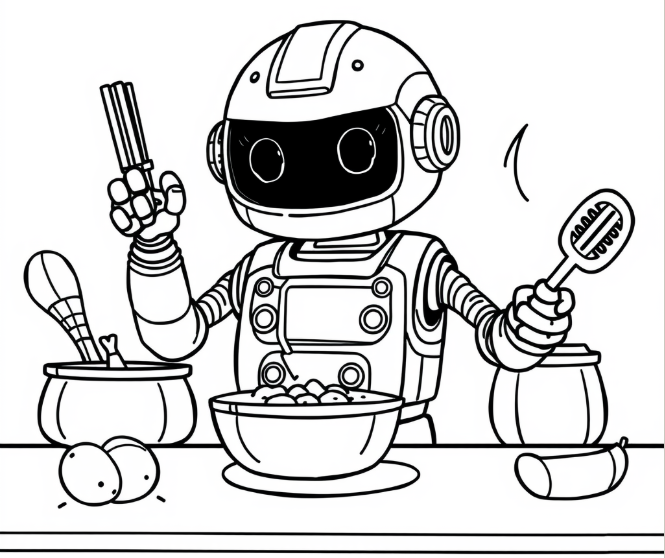
She named it too. She saw the little robot in the app and announced it was a cook. Robot Cooks Drawings. Non-negotiable.
What started as a quick one-off became a proper project, because the gap between “generate a drawing” and “actually hand it to a kid, printed” is bigger than it looks. The lines have to be thick enough for small hands with crayons. The file has to print clean on A4. And after ten drawings in a week, you need to find the good ones again.
How it works
- You describe a scene in plain text — “a friendly bear in a library wearing reading glasses.”
- You pick a style: Classic Coloring, Cartoon Story, or Magic Dots (connect-the-dots).
- The app calls Gemini, which generates a structured SVG at A4 dimensions.
- Before anything is saved, the SVG goes through a quality check. If the model drew stick figures instead of proper cartoon shapes, it retries automatically with a stronger prompt.
- The SVG is converted to a PDF, a thumbnail is generated, metadata tags are extracted, and everything is embedded into a vector and saved to Supabase.
- You download the PDF and print it.
There’s also a browsable library where you can search by text — “animals,” “space,” “food” — using semantic similarity rather than exact keyword matching.
graph LR
    A[User prompt + style] --> B["/api/generate"]
    B --> C{Quality gate}
    C -- Pass --> D["/api/save"]
    C -- "Fail: too many primitives" --> E["Retry: stronger prompt\nhigher temperature"]
    E --> D
    D --> F["Puppeteer\nSVG to PDF + thumbnail"]
    D --> G["Gemini\nExtract metadata tags"]
    D --> H["HF BAAI/bge-small-en-v1.5\n384-dim vector"]
    F --> I["Supabase Storage\nsvg, pdf, thumb buckets"]
    G --> I
    H --> J["Supabase Postgres\ndrawings + metadata + embeddings"]
    K[Library search query] --> L[HF embed query]
    L --> M["pgvector HNSW\ncosine similarity"]
    M --> N[Results grid]
⚙️ The engineering behind “just print this”
The SVG quality gate
The first version trusted whatever the model returned. That was a mistake. Gemini — like most LLMs given an SVG task — defaults to the path of least resistance: <ellipse> for heads, <rect> for torsos, <line> everywhere. The result looks like a geometry diagram, not something a kid would want to color.
The fix is a quality gate that runs after every generation. It counts <path> elements vs geometric primitives:
const pathCount    = (svg.match(/<path\b/gi)    ?? []).length;
const ellipseCount = (svg.match(/<ellipse\b/gi) ?? []).length;
const rectCount    = (svg.match(/<rect\b/gi)    ?? []).length;

const primitiveDominated = rectCount + ellipseCount > pathCount;
const tooFewPaths        = pathCount < 10;
If it fails, it retries at higher temperature (0.6 vs 0.4) with an explicit correction: “The previous attempt produced stick-figure output. This time you MUST draw the characters with smooth organic Bezier curves using <path> elements with C/Q commands.”
The second attempt passes around 90% of the time. Every drawing that made it past the quality check was worth printing.
Multi-model fallback
The app doesn’t hardcode a single Gemini model. At startup it calls the Gemini ListModels endpoint to get whatever models are actually available, then tries them in ranked order from best to worst:
gemini-2.5-pro → gemini-2.5-flash → gemini-2.0-flash → gemini-2.0-flash-lite → gemini-pro-latestIf all Gemini models fail, it falls back to Groq. The app keeps working even when Gemini deprecates a model or rate-limits the free tier.
The save pipeline
After a drawing passes the quality gate, five things happen before anything is stored:
SVG input
 ├─ Puppeteer renders → PDF (A4, 300dpi)
 ├─ Puppeteer renders → PNG thumbnail (400px wide)
 └─ Gemini reads SVG → JSON tags (objects, scene summary, style complexity)
     └─ HF BAAI/bge-small-en-v1.5 embeds the tag text → 384-dim vector
         └─ Supabase: 3 storage buckets + 3 Postgres rows
            (drawings, drawing_metadata, drawing_embeddings)
Storage buckets are private — downloads use short-lived signed URLs generated server-side.
Semantic search
When you type “two animals in a forest,” that query is embedded with the same Hugging Face model used at save time, producing a 384-dimensional vector. That vector is compared against every saved drawing’s embedding using cosine similarity via pgvector’s HNSW index:
SELECT d.*, 1 - (de.embedding <=> query_embedding) AS similarity
FROM drawings d
  JOIN drawing_embeddings de ON de.drawing_id = d.id
  LEFT JOIN drawing_metadata dm ON dm.drawing_id = d.id
ORDER BY de.embedding <=> query_embedding
LIMIT 20;
HNSW works at any dataset size. IVFFLAT doesn’t — and a family drawing library starts at ten rows and never hits the scale where it would matter.
🎨 Drawing styles
Three styles, each with different SVG generation rules:
- Classic Coloring — bold outlines (1.5mm stroke), organic Bezier paths for characters, full background scene with ground and sky, regions large enough for crayons.
- Cartoon Story — expressive characters, lighter touch, storybook illustration aesthetic.
- Magic Dots — connect-the-dots. 20–30 numbered dots placed along the subject contour, sequential labels, optional faint background.
Forbidden elements across all styles: <ellipse>, <line>, <polyline>, gradients, inline styles, shading.
🤖 The robot drawing character
While generation runs, a custom SVG animation plays — a small robot sitting at a drawing board, pencil arm swinging back and forth, antenna pulsing orange, eye blinking every 3.2 seconds. Every animation is defined in keyframes inside the SVG <style> block. No external libraries. About 120 lines of SVG.
It’s a small thing. It makes the wait feel like something is actually happening, which it is.
The dragon page exists now — apron, stove, pasta, the lot. Her verdict on the loading robot: “That’s a fun robot.” She’s always been clear about what works.
Built with: Next.js 14 (App Router) → Netlify → Google Gemini API (multi-model fallback) → Groq fallback → Supabase Postgres + pgvector → Hugging Face BAAI/bge-small-en-v1.5 → Puppeteer + @sparticuz/chromium → Tailwind CSS